
Android Backups Will Start Using Google Account Storage Bringing Big Changes for Users

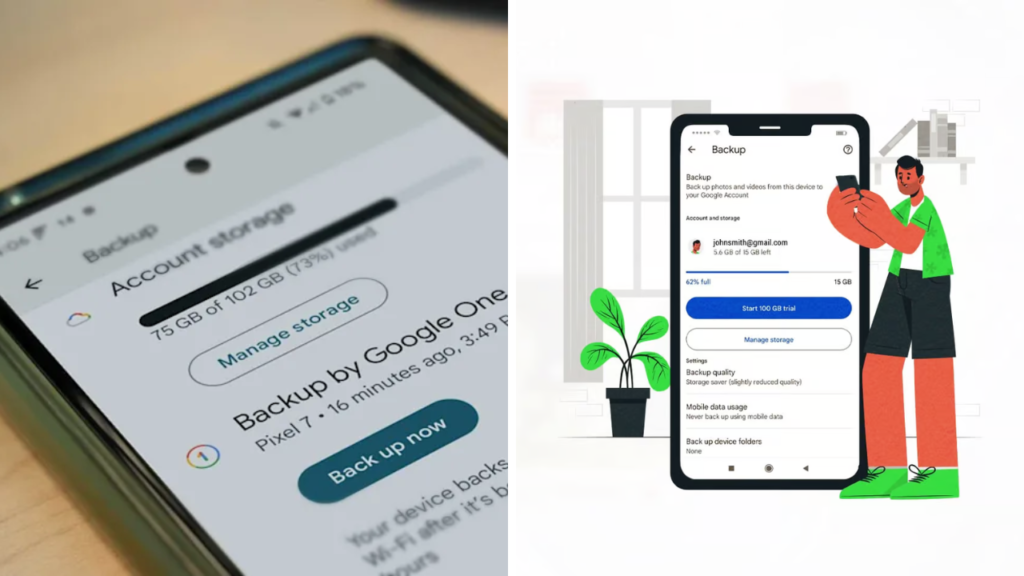
Google is said to be planning a major change for how Android devices back up data. Future backups will reportedly count against the Google account’s available storage. The update could impact millions of Android users by making backup management more like the shared storage space that Google Photos, Gmail, Google Drive and other Google services use.
 Oppo Reno 16 Series Launches With Powerful Camera Upgrades and Smarter Photo Editing Features
Google has previously announced changes to their storage policy, but users should check the most recent official guidance for information on availability, supported devices, and how the update might impact their accounts.

Backups for Android may use Google Storage
The change being reported might mean Android backups will begin to count towards the storage quota associated with a user’s Google Account. That means that backups of apps, device settings, call history, messages and other supported data could eat into the free storage space available for other Google services.

Google also is encouraging users on lower storage plans to pay more attention to their available space, especially if they also have large photo libraries, videos or documents stored in Google Drive and Google Photos.

How much this affects you depends on how big your backup is, how much you use your account and what storage subscription you have.
Shared storage will be even more critical.
Google already has a shared storage model across lots of services. Until Android backups are fully baked into the system, users will have to divide up their available space between emails, cloud files, photos, videos and device backups.
People who upgrade their phone often or backup several Android devices may find their storage filling up faster. To free up some space, you might want to go through your old backups and delete the ones of the devices you don’t use anymore.
Google One subscribers might have a little more leeway, as the higher tiers of storage allow for more backups and other cloud content.
So why is Google doing this?
Moving Android backups to the larger Google storage system could make account management easier by having all cloud data in one storage quota. This also helps users to better understand how their available space is used.
The update may push users to be more proactive about managing their backups, deleting files they don’t need or upgrading to a larger storage plan if they require more space.
Google hasn’t indicated whether the change will affect the security of backups, and encrypted backups are still expected to protect supported user data.
How to get ready
Google Account Settings (Android) See how much storage space you’re using in Google Account Settings. To avoid an unexpected storage full, it is a good idea to check the space your Gmail, Google Drive, Photos and existing backups are taking up.
You can also free up more space by deleting duplicate files, old backups and unnecessary media, this will take effect before the changes mentioned in the article.
If you’re a heavy cloud user, it’s worth checking out the Google One plans if your backup needs grow over time.
Device rollout may vary
The new backup policy could be rolled out gradually like many other Google services. Availability is based on Android version, device manufacturer, region, and account type.
Some users will be notified of the changes before they’re made, while others will see the new storage information right in Android settings or on their Google Account dashboard.
Keep an eye out for official announcements and update devices to access the latest backup features.
Users should keep an eye out for official announcements from Google
There are also rumours that Android backups will soon make more direct use of Google Account storage, though the rollout timeline and implementation details may differ. Please refer to Google’s official documentation for any definitive information about storage limits, backup behaviour and exceptions.
Should these rumoured changes come to fruition, Android users will have a better idea of how their cloud storage is being allocated, making regular storage management an increasingly important part of using Google’s ecosystem.
Sources
- Google – Google Support has official guidance on Android backups and Google Account storage including Google Drive and Google One plans.
- Google One – Google One provides information on storage plans, shared account storage, backup options and cloud management tools.
- Android Developers – Android Developers provides technical documentation for Android backup services, APIs and platform changes.
