
Samsung Users May Finally Get the One UI 8.5 Update They Wanted

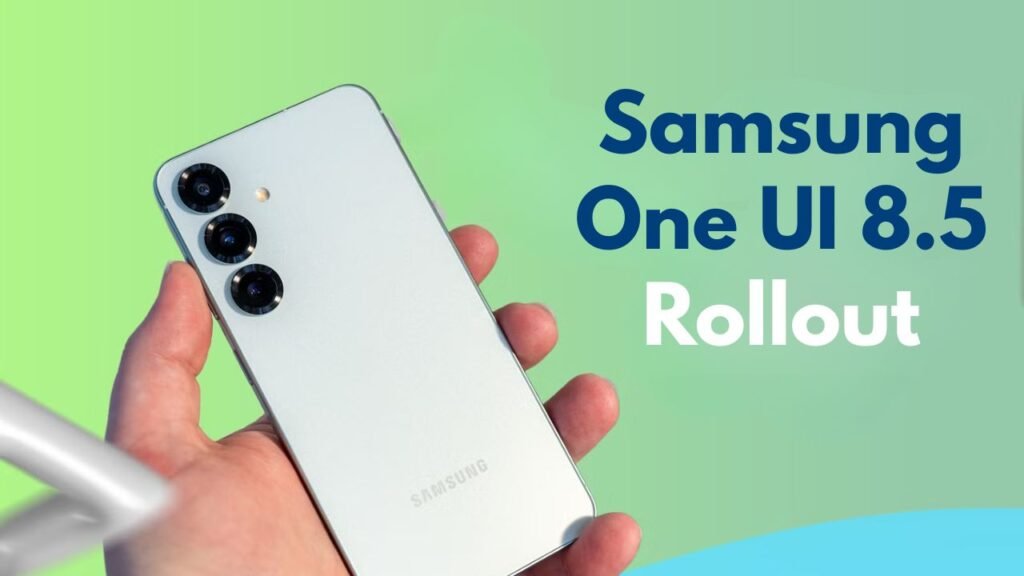
Samsung users have been waiting for a software update that feels useful, smooth and worth installing. For plenty of Galaxy owners, One UI 8.5 looks like that update now. It delivers a cleaner experience, better sharing, stronger security, improved battery tools and smarter AI features on supported phones. The rollout is staged, so not all devices will get it on the same day. But the update is important because it addresses many of users’ typical requests — faster performance, easier file sharing, better photo editing and a more reliable experience for the daily phone. Features may vary by model and region. Galaxy S, Z, Tab and select A-series users. And the best part is, Samsung isn’t just making this update about appearances. It also draws attention to practical improvements that can make normal phone use easier, safer and more comfortable for everyday users at work, travel and study.

Main Update: Why Samsung Users Are Excited
The excitement from users is largely due to the fact that Samsung’s One UI 8.5 feels like a meaningful update, not just a superficial one. Samsung has focused on the simple everyday needs like easy navigation, easier sharing, better AI tools and more security. “It will start rolling out on a few premium devices and will be extended to more models over time.” Samsung’s slow rollout will give it time to iron out bugs and performance issues. Please note that features may differ depending on device, country and carrier. That means one Galaxy phone would get full AI tools versus another getting only limited enhancements. But again, One UI 8.5 looks useful for most of the supported users who want a more stable experience on their phones.

- One UI 8.5 is all about improving your day to day on the phone.
- That update makes things run smoother for many of us.
- Galaxy AI features may be updated on compatible devices.
- The rollout is being done in phases.
- Features are different by model and region.
New Features Samsung Users May Notice
One UI 8.5 adds new sharing, creative, security and comfort features. One of the biggest changes is the improved Quick Share that should make it easier to share files across supported devices. Photo Assist also gets some nice updates, making it easier for users to edit their photos with less effort. Samsung is also working on power saving to help users manage battery life more smartly. And security updates are critical, because today’s phones are filled with private photos, messages, banking apps, and personal documents. Samsung is also working on improvements to some apps like Weather and My Files. These changes may seem minor but together can help to make the phone feel newer and easier to use. This matters to Galaxy device users every day.
 Sony RX10 V Review Explains Why This Premium Camera May Not Be the Best Upgrade for Every Buyer
- Quick Share could be made easier to use and more helpful.
- Photo Assist provides basic photo editing.
- Power saving tools may help to make better use of the battery.
- Enhanced security can protect your personal information.
- Samsung apps may look cleaner, feel smarter.
Eligible Devices and Rollout Details
The company is rolling out the update in stages which means some users will get the update before others. Newer flagship phones typically get updates first, and older and mid-range phones may have to wait longer. According to reports, the update has been rolled out to more Galaxy models, including some foldables and A-series phones in select regions. This is good news for those who felt left out. Availability still varies by model, region and network carrier, though. If the update is not immediately visible, then users should not panic. It could come later through the normal software update screen. Patience is key, as Samsung typically rolls out major updates gradually in waves worldwide.
 Redmi Note 17 Pro Specifications Confirm Bigger Battery Stronger Build and Faster Performance
- Galaxy S series devices may get the major features first.
- The rollout also includes foldable Galaxy Z devices.
- Some Galaxy A-series phones may be getting selected features.
- Update timing varies by region and carrier.
- Users are advised to wait for the official update notification.
How to Check and Install One UI 8.5 Safely
Before installing One UI 8.5, users should properly prepare their smartphones. Big software updates are big, so you’ll want to update when you’re on Wi-Fi and your battery is charged. Users are also advised to back up important photos, contacts and documents before the update. This is not because the update is unsafe, but because backup is always a wise habit. When installed, the phone might feel warm or slow for a while as apps and system files work their way in. Steep it. Users If the update is not available yet , wait and try again later . Don’t risk unsafe unofficial methods . With safe update, your data and device performance are unaffected. It also helps users avoid mistakes when installing it on Galaxy phones.
Final Advice
One UI 8.5 is a big update for Samsung users because it offers useful changes, not just small design changes. Better sharing, useful AI tools, improved security, smoother performance, and battery-focused changes are enough to make it a worthwhile upgrade for daily use. The rollout could take a while and not every phone will get every feature but it feels like an important update nonetheless. Safely check availability from phone settings, keep a backup and install when it officially arrives for your Galaxy model without rushing or using unsafe third-party update files online today.
